
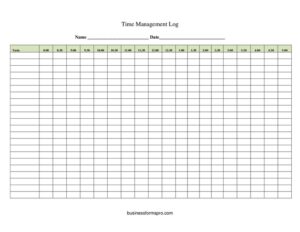
Time Management Log
Track how you spend your day with this free Time Management Log template, available as a free download in PDF and DOCX to boost focus and productivity.
PDF
DOCX
6 downloads
0
likes
Download Files
- DOCX
A Time Management Log is a simple tracking sheet used to record how you spend your hours throughout a day or week, so you can see exactly where your time goes and make smarter scheduling decisions. People most often reach for one when they feel busy but unproductive and want hard data on their habits. You can download this Time Management Log free in both PDF and DOCX formats, with no signup required.
What Is a Time Management Log?
A Time Management Log is a personal or professional record that breaks your day into time blocks and pairs each block with the activity you actually completed. It is used by employees, freelancers, students, managers, and anyone trying to understand and improve how they allocate their hours. Rather than relying on memory or rough estimates, the log captures real start and end times, the task performed, the category it falls into, and notes about interruptions or results. Over a few days, the completed sheets reveal patterns — where focus is strongest, which tasks devour disproportionate time, and where energy leaks away. It is a self-awareness and planning tool, not a formal contract, making it flexible enough for any role or routine.
When Do You Need a Time Management Log?
This log is useful any time you suspect your hours are not lining up with your priorities. Common situations include:
- Diagnosing low productivity — when you finish the day busy but unsure what you actually accomplished.
- Billing clients accurately — freelancers and consultants logging time spent on each project for invoicing.
- Studying more effectively — students tracking how long subjects really take versus how long they planned.
- Reducing distractions — identifying how much time meetings, email, or social media consume during a workday.
- Setting realistic schedules — gathering data before committing to deadlines or estimating how long recurring tasks need.
- Improving work-life balance — spotting overwork patterns or under-used pockets of free time across a week.
Types of Time Tracking Approaches
People use this log in a few different ways. A continuous log records every block from morning to night, ideal for a full audit over several days. A task-focused log captures only billable or project work, which suits client invoicing. An interval log samples activity at fixed points (for example, every 30 minutes) to estimate where time goes without recording each minute. Choose the style that matches your goal, and use the same template consistently so your results stay comparable.
What a Time Management Log Should Have
To be genuinely useful, a complete log should capture the date, a time-block column with start and end times, a description of the activity, a category or project label, and a notes column for context such as interruptions or outcomes. Many people also add a planned-versus-actual comparison and a daily summary that totals time per category. The clearer your categories, the more actionable the patterns you uncover.
How to Fill Out a Time Management Log
- Enter the date at the top so each completed sheet stands alone and can be filed or compared later.
- List your time blocks in the first column. Use consistent intervals — hourly, half-hourly, or by task — and record the actual start and end time of each activity.
- Describe the activity for each block in plain language, such as “drafted client proposal” or “team standup meeting.”
- Assign a category or project to every entry — for example Admin, Deep Work, Meetings, Email, or a specific client name — so you can total time by type.
- Add notes on interruptions, energy level, or whether the task was finished. These details explain the numbers later.
- Record it in real time or at short intervals, not from memory at day’s end, to keep the data honest.
- Total your categories in a daily summary line so you can immediately see where the bulk of your hours landed.
Turning the Log Into Action
The log is only valuable once you review it. At the end of each day or week, add up the time in each category and ask which activities advanced your real priorities and which simply filled space. Look for the biggest single time consumer and decide whether it deserves that share of your day. Watch for repeated interruptions at the same times — they often point to a fixable workflow problem. Compare planned hours with actual hours to calibrate future estimates, since most people underestimate how long routine tasks take. Small adjustments, repeated over a week, produce far better results than trying to overhaul your whole schedule at once.
Tips for Accurate Tracking
Keep the log within easy reach so updating it never becomes a chore. Use short, consistent labels so categories add up cleanly. Be honest about distractions — the value of the log comes from seeing reality, not an idealized version. Track for at least three to five consecutive days before drawing conclusions, since a single atypical day can mislead you. Finally, pair the log with a brief review session; data without reflection rarely changes behavior.
Common Mistakes to Avoid
- Filling it in from memory at the end of the day, which produces guesses rather than real data.
- Using vague categories like “work” that make it impossible to see what actually consumed your time.
- Tracking only one day and treating it as representative of your whole routine.
- Ignoring small interruptions that, added together, account for a surprising share of the day.
- Logging without reviewing — collecting data you never analyze defeats the purpose.
- Over-engineering the categories to the point that updating the log feels harder than the work itself.
Frequently Asked Questions
What is a Time Management Log used for? It is used to record how you actually spend your time so you can identify productivity patterns, reduce wasted hours, and plan more realistic schedules. Professionals also use it to track billable hours and to justify time estimates for projects.
How do I fill out a Time Management Log? Enter the date, list your time blocks with start and end times, describe each activity, assign a category, and add notes about interruptions or outcomes. For the most accurate picture, record entries in real time rather than reconstructing your day from memory afterward.
How long should I track my time? Aim for at least three to five consecutive days, and a full week if you can. A single day rarely reflects your typical routine, and a longer window reveals recurring patterns that one day would miss.
Is a Time Management Log the same as a timesheet? They overlap but differ in purpose. A timesheet usually records total hours worked for payroll or billing, while a time management log breaks time into detailed blocks and categories so you can analyze and improve how those hours are used.
Is this template free to download? Yes. This Time Management Log is completely free to download in both PDF and DOCX formats, with no signup or payment required. You can print it for handwriting or edit the DOCX version on your computer.
Can I customize the categories and time blocks? Absolutely. Download the DOCX version and adjust the intervals, category labels, and columns to match your role — whether you track in fifteen-minute slots, by project, or by client.
This Time Management Log template is provided as a general example for informational purposes only and does not constitute legal, financial, or professional productivity advice. Tracking and recordkeeping requirements may vary by employer or jurisdiction — consult a qualified professional for guidance specific to your situation.
Related Forms
- Website Password Tracker
- Housekeeping Inspection Checklist
- Home Inventory List of Possessions
- Supplier Schedule
- Monthly Cleaning Log
- Monthly Editorial Calendar
Browse more in Log and Inventory.