
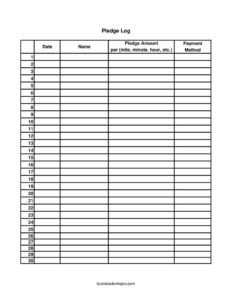
Pledge Log
Track donor commitments with this free Pledge Log template — record names, amounts, payment methods, and totals in PDF or DOCX free download.
PDF
DOCX
XLSX
5 downloads
0
likes
Download Files
- DOCX
- XLSX
A Pledge Log is a simple tracking sheet used to record promised donations during a fundraiser, walk-a-thon, charity drive, or membership campaign. People most often reach for it to capture who pledged, how much, and how that pledge is structured — per mile, per minute, or as a flat gift — so nothing slips through the cracks at collection time. You can download it free in PDF and DOCX, with no signup required.
What Is a Pledge Log?
A Pledge Log is a running record of financial commitments made by supporters to a cause, event, or organization. It is typically issued and maintained by the fundraiser, event organizer, treasurer, or volunteer coordinator, and it documents each pledge alongside the donor’s name, the date the promise was made, the amount, the basis of the pledge, and the expected payment method. Rather than relying on memory or scattered notes, the log gives organizers a single, auditable place to see every commitment. It is especially useful for performance-based fundraising — like a walkathon where supporters pledge a dollar amount per mile completed — because it tracks both the rate and the eventual total owed once results are known.
When Do You Need a Pledge Log?
This form is helpful any time supporters promise money before they actually pay it. Common situations include:
- Walkathons and run events: sponsors pledge an amount per mile, so totals depend on the distance a participant completes.
- Read-a-thons or activity drives: donors pledge per minute or per hour of reading, practicing, or volunteering.
- Capital or annual giving campaigns: members commit a flat gift now and pay over time.
- Church, school, or club fundraisers: a volunteer collects verbal or written pledges to be honored later.
- Telethons and phone-bank drives: callers log each pledge with the promised payment method.
- Sponsorship sheets: participants gather multiple small pledges and turn the sheet in to a coordinator.
Types of Pledges This Log Handles
The template is built to accommodate several pledge structures so it works across many event types. A flat pledge is a single fixed amount. A per-mile pledge multiplies a rate by the distance covered. A per-minute or per-hour pledge multiplies a rate by time spent on an activity. By including the “per,” “mile,” “minute,” and “hour” fields, the log lets you record the rate and the unit, then calculate the final total once the event concludes and actual results are recorded.
What a Pledge Log Should Have
A complete Pledge Log captures enough detail to contact the donor, calculate what they owe, and confirm payment. At minimum it should include the date of each pledge, the donor’s name, the pledge amount and its basis (flat or per-unit), the unit of measure where applicable, the intended payment method, and a running total of all pledges. A clear header identifying the event or campaign and a column for whether payment was received turns the log into a useful collection and reconciliation tool.
How to Fill Out a Pledge Log
- Date: Enter the date the pledge was made. This helps you follow up on older commitments and reconcile against your records.
- Name: Write the donor or sponsor’s full name. Add a phone number or email in the margin if you’ll need to follow up.
- Pledge Amount: Record the dollar figure pledged. For a flat gift, this is the full amount; for a rate-based pledge, this is the rate (for example, $2).
- Per: Indicate the basis of a rate-based pledge — note whether the amount applies “per” something rather than as a one-time gift.
- Mile / Minute / Hour: Use the appropriate unit column to capture the actual quantity completed, such as 5 miles or 30 minutes, so you can multiply rate by quantity.
- Payment Method: Note how the donor intends to pay — cash, check, card, or online — to make collection smoother.
- Total Pledges: Calculate the final amount owed for each row, then sum the column at the bottom to see your campaign total.
Collecting and Reconciling Pledges
The log is only the first step; collection comes next. After your event ends and any per-unit results are known, calculate each donor’s final amount and reach out using the contact details you noted. Mark each row as paid when funds arrive, and keep the completed log with your deposit records so your treasurer can match incoming money to commitments. For organizations that issue receipts, the log gives you the date, name, and amount you need to generate a thank-you letter or acknowledgment. Keeping the log accurate and up to date also makes year-over-year comparisons easy, helping you see which campaigns and which donors drove the most support.
Tips for Accurate Pledge Tracking
Write legibly and fill in every column at the moment of the pledge — reconstructing details later invites errors. If a donor’s pledge is rate-based, double-check that you’ve recorded both the rate and the unit so the math is unambiguous. Total the column regularly during a multi-day drive rather than waiting until the end, and store the sheet somewhere secure since it contains donor names and payment intentions. If you use the DOCX version, you can add formulas or extra columns for contact info and “paid” status.
Common Mistakes to Avoid
- Confusing rate with total: writing $2 in the amount column when the donor pledged $2 per mile leads to undercharging.
- Leaving the unit blank: a per-unit pledge without a recorded quantity can’t be calculated accurately.
- Skipping the payment method: not knowing how someone plans to pay slows collection and follow-up.
- No contact details: a name alone may not be enough to reach a donor weeks later.
- Forgetting to mark pledges paid: without a paid column you can’t tell what’s still outstanding.
- Not totaling the column: failing to sum pledges means you lose sight of your campaign’s expected revenue.
Frequently Asked Questions
What is a Pledge Log used for? It is used to record promised donations from supporters during a fundraiser, including the donor’s name, the amount pledged, the basis of the pledge, and how they plan to pay. It gives organizers a single place to track commitments and reconcile them against money actually collected.
How do I record a per-mile or per-hour pledge? Enter the rate in the pledge amount column, note that it applies “per” a unit, and record the actual miles, minutes, or hours completed in the corresponding column. After the event, multiply the rate by the quantity to find the total each donor owes.
Is a Pledge Log legally binding? A logged pledge is generally treated as a good-faith commitment rather than a binding contract, and enforceability of charitable pledges varies by jurisdiction. The log’s main purpose is organizational tracking and follow-up, not legal enforcement.
Does a Pledge Log need to be signed or witnessed? A signature is not required for the log to function as a tracking tool, though some organizations ask donors to initial their pledge for confirmation. For larger commitments, a separate signed pledge agreement may be appropriate.
How much does this Pledge Log template cost? It is completely free to download from Business Forms Pro in both PDF and DOCX formats, with no signup required. You can print it as-is or edit the DOCX version to fit your event.
Can I customize the columns for my fundraiser? Yes. The DOCX version is fully editable, so you can add columns for contact information, a paid checkbox, or notes, and remove unit columns you don’t need for a flat-gift campaign.
This Pledge Log template is provided as a general example for informational purposes only and is not legal, financial, or tax advice. Rules regarding charitable pledges, donations, and recordkeeping vary by jurisdiction, so consult a qualified professional for guidance specific to your organization.
Related Forms
- General Journal
- Restaurant Ban Form
- Computers Storage Inventory Card
- Movie Inventory List
- Monthly Outdoor Maintenance Log
- Visitor Log
Browse more in Log and Inventory.