
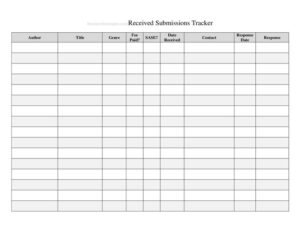
Submission Tracker Received
Track every received submission in one place with this free Submission Tracker Received log template, available as a free download in PDF and DOCX.
PDF
DOCX
5 downloads
0
likes
Download Files
- DOCX
A Submission Tracker Received log is a simple record used to capture and monitor every item, document, application, or entry that arrives for review. People most often use it to make sure nothing slips through the cracks once it lands in their inbox or intake tray. It is free to download here in both PDF and DOCX formats, with no signup required.
What Is a Submission Tracker Received?
A Submission Tracker Received is a log sheet that documents incoming submissions from the moment they are received. It typically records who sent each submission, when it arrived, what it contains, and where it stands in the review process. Teams that handle a steady flow of applications, manuscripts, grant proposals, contest entries, vendor bids, or compliance documents rely on it to keep an accurate paper trail. Rather than relying on memory or scattered emails, the tracker gives one central place to confirm receipt, assign ownership, and follow each item through to a decision. It is useful for individuals, small offices, and larger departments that need a consistent intake record everyone can reference.
When Do You Need a Submission Tracker Received?
This log earns its place anywhere submissions arrive faster than they can be processed in a single sitting. Common situations include:
- Editorial and publishing teams logging article pitches, manuscripts, or guest posts as they come in from contributors.
- Grant and funding offices tracking proposals received before a deadline so each applicant gets a confirmed receipt.
- HR and recruiting recording resumes and application packets for an open role.
- Procurement teams documenting vendor bids or quotes received during a competitive tender window.
- Contest, scholarship, or award programs capturing every entry along with the date and time it arrived.
- Compliance or records departments logging required filings, forms, or signed documents received from staff or clients.
In each case the goal is the same: prove what was received, when, and from whom, while keeping the workload visible to everyone who touches the queue.
Types of Submissions You Might Track
Although the layout stays the same, the contents vary widely by setting. A creative organization might log written work, artwork, or media files. A business office might track invoices, contracts, or completed onboarding paperwork. A regulatory team might record certifications, disclosures, or audit responses. The tracker is intentionally flexible so you can adapt the description and status columns to whatever your group considers a “submission.”
What a Submission Tracker Received Should Have
A complete received-submission log captures enough detail to identify, locate, and follow up on every entry. The essential elements are:
- A unique reference or entry number so each submission can be cited without confusion.
- The date and time received, which is critical when deadlines or first-come ordering matter.
- The submitter’s name and contact details for acknowledgments and follow-up.
- A short description of what was submitted, including format or attachment count.
- The method of receipt, such as email, mail, portal, or hand delivery.
- The assigned reviewer or owner responsible for the next step.
- A status field showing whether the item is new, under review, on hold, or closed.
- A notes column for context, missing items, or decisions.
How to Fill Out a Submission Tracker Received
Because this is a flexible log template, you fill it in one row per submission as items arrive. Work across the columns in order:
- Assign an entry or reference number. Use a running sequence so each submission has a unique ID.
- Enter the date received. Record the exact day it arrived, and add the time if order of arrival affects eligibility.
- Record the submitter. Write the sender’s full name, organization, and email or phone so you can confirm receipt.
- Describe the submission. Note what was sent — for example, “three-page proposal plus budget spreadsheet” — and how many files or pages.
- Note the receipt method. Indicate whether it came by email, online portal, postal mail, or in person.
- Assign an owner. List the reviewer or department now responsible for the item.
- Set the status. Start with “Received” or “New,” then update as it moves through review.
- Add notes. Flag anything missing, late, or requiring follow-up, and date your updates.
Update the row each time the status changes so the log always reflects the current state.
Tips for Keeping the Tracker Accurate
A tracker is only as good as the discipline behind it. Log each submission the same day it arrives so the received date stays reliable. Assign one person to maintain the master copy, or use a shared file with clear edit rules to prevent duplicate or conflicting entries. Send a quick acknowledgment to each submitter referencing their entry number — this reduces “did you get my submission?” emails and builds trust. Review the open rows on a regular cadence, such as weekly, and close out items promptly once a decision is made. Keep completed logs as a record; they are valuable if a submitter ever disputes whether or when something was received.
How It Differs From a Submission Outcome Log
A received tracker focuses on intake — proving an item arrived and entering the queue. A separate outcome or decision log focuses on the result, such as accepted, rejected, or revised. Many teams keep both, or combine them by expanding the status column. Use the received tracker as the front door and let the status field carry each entry through to its conclusion so you have one continuous history.
Common Mistakes to Avoid
- Skipping the date received — without it the log loses its main purpose as proof of timely arrival.
- Vague descriptions like “documents” that make it impossible to tell entries apart later.
- Forgetting to assign an owner, which leaves submissions sitting in limbo with no one accountable.
- Letting statuses go stale so the tracker no longer reflects reality.
- Using duplicate or reused entry numbers, which breaks references and audit trails.
- Keeping the file open to everyone with no rules, leading to accidental overwrites and lost rows.
Frequently Asked Questions
What is a Submission Tracker Received used for? It is used to log every submission as it arrives so you have a dated, organized record of what was received, from whom, and its current review status. This prevents items from being lost and gives your team a single source of truth for the intake queue.
How do I fill out a Submission Tracker Received? Add one row per submission, recording the entry number, date received, submitter details, a description, the receipt method, the assigned owner, the status, and any notes. Update the status as each item moves through review so the log always stays current.
Is this submission tracker legally binding? The log itself is an internal record, not a contract, so it is not legally binding on its own. However, a consistently maintained received log can serve as useful evidence of when and what was received if a dispute ever arises.
Can I customize the columns for my needs? Yes. The DOCX version is fully editable, so you can rename columns, add fields like deadline or priority, or remove ones you do not need. Keep the core date-received and submitter columns since they carry the most value.
How much does this template cost? It is completely free to download from Business Forms Pro in both PDF and DOCX formats, with no signup or payment required. You can print the PDF for a physical log or edit the DOCX on your computer.
How long should I keep completed submission logs? Retention depends on your organization’s policy and any industry or legal record-keeping requirements. Many teams keep submission logs for at least a year, and longer where audits, grants, or compliance reviews are involved.
This template is a general example provided for informational purposes only and does not constitute legal, financial, or compliance advice. Record-keeping and retention requirements vary by jurisdiction and industry — consult a qualified professional to confirm what applies to your situation.
Related Forms
- Vehicle Repair Log
- Change Log
- Wine Tasting Log
- Beauty Salon Supplies Inventory Card
- Hospital Comparison
- Payment Method Tracker
Browse more in Log and Inventory.