
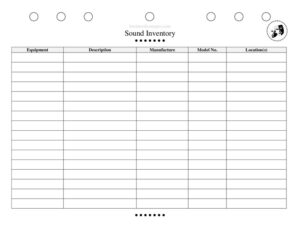
Sound Inventory Sheet
Track every speaker, mic, and cable with our free Sound Inventory Sheet template — organize your audio gear and download free in PDF or DOCX.
PDF
DOCX
4 downloads
0
likes
Download Files
- DOCX
A Sound Inventory Sheet is a document used to list and track every piece of audio equipment owned, rented, or assigned to a production, venue, or studio. Theater technicians, sound designers, and stage managers most often reach for one when prepping for a show, conducting a load-in, or running an end-of-run equipment check. You can download this Sound Inventory Sheet free in PDF or DOCX with no signup required.
What Is a Sound Inventory Sheet?
A Sound Inventory Sheet is a structured record that captures all of the audio gear connected to a production or facility — microphones, speakers, mixing consoles, amplifiers, cables, wireless packs, and accessories. It is typically created and maintained by a sound designer, audio engineer, or technical director and used by the wider production team. The sheet documents what equipment exists, its quantity, condition, location, and whether it is owned or rented. In a theater setting it serves as the single source of truth for the audio department, helping teams confirm everything needed for a performance is present, functional, and accounted for before the house opens.
When Do You Need a Sound Inventory Sheet?
This form is useful any time audio equipment needs to be counted, verified, or handed off. Common situations include:
- Pre-production planning — confirming the gear on hand matches what the sound design calls for before rehearsals begin.
- Load-in and load-out — checking equipment in and out of the venue so nothing is left behind or misplaced during a move.
- Equipment rentals — documenting rented items, their condition on arrival, and confirming the full count on return to avoid replacement charges.
- End-of-run strike — verifying every microphone, cable, and console is returned to storage or to its owner after a show closes.
- Annual audits — venues and schools cataloging their full audio stock for budgeting, insurance, and maintenance planning.
- Damage and repair tracking — flagging items that are broken, intermittent, or due for service so they are pulled from rotation.
What a Sound Inventory Sheet Should Have
A complete Sound Inventory Sheet gives anyone reading it a clear picture of the audio department’s holdings at a glance. The essential elements include a project, venue, or production name and the date of the inventory, plus the name of the person who completed it. Each line item should record the equipment name or description, category or type, make and model, quantity, condition, and physical location or storage case. Many sheets also include columns to note whether an item is owned or rented, a serial or asset number, and free-text remarks for damage, missing parts, or special handling. A signature or sign-off line adds accountability, especially when gear changes hands between departments or rental houses.
How to Fill Out a Sound Inventory Sheet
- Header details: Enter the production, venue, or studio name, the inventory date, and the name of the person performing the count so the record can be traced later.
- Equipment name: List each item clearly — for example “Shure SM58 dynamic mic” or “15-inch powered floor monitor” — rather than vague labels.
- Category or type: Group items as microphones, speakers, mixers, amplifiers, cables, wireless, or accessories to keep the list scannable.
- Make and model: Record the manufacturer and model number, which matters for compatibility and warranty.
- Serial or asset number: Note any serial or internal tag number for high-value or rented gear.
- Quantity: Enter the exact count for each line, especially for cables and identical mics.
- Condition: Mark each item as new, good, fair, or needs repair.
- Location: Indicate where the item lives — a road case, a booth, a storage room, or onstage.
- Owned or rented: Flag rentals and note the return date.
- Remarks: Add any notes on damage, missing accessories, or follow-up needed, then sign and date the sheet.
Organizing by Equipment Category
Sound inventories are far easier to manage when items are grouped logically rather than listed in the order they were found. Most audio teams break their inventory into sections such as input devices (microphones, direct boxes, wireless receivers), output devices (speakers, monitors, subwoofers), processing and mixing (consoles, equalizers, effects units), distribution (snakes, splitters, patch bays), cabling (XLR, TRS, speaker, and power cables sorted by length), and accessories (stands, clamps, batteries, adapters). Sorting this way speeds up counts, makes shortages obvious, and helps a substitute technician find what they need without hunting. It also makes the sheet reusable from show to show, since you can simply update quantities and conditions against an established framework.
Tips for Keeping Your Inventory Accurate
An inventory is only valuable if it stays current. Recount and update the sheet at every major milestone — load-in, opening, and strike — rather than relying on a single pre-season count. Label road cases and storage shelves to match the location column so items return to a consistent home. Photograph high-value gear alongside its serial number to support insurance or rental claims. Finally, designate one person per production to own the sheet; shared editing without ownership is the fastest way for counts to drift out of sync.
Common Mistakes to Avoid
- Vague descriptions — writing “mic” or “cable” instead of the specific model and length, which makes shortages and substitutions hard to spot.
- Skipping the condition column — failing to flag damaged gear means it can end up in a show before it’s repaired.
- Not separating owned from rented — leading to missed return deadlines and surprise replacement fees.
- Forgetting consumables — leaving out batteries, gaffer tape, and adapters that are easy to run out of mid-run.
- Counting only once — relying on a single pre-show count instead of verifying again at load-out.
- No sign-off — leaving the sheet unsigned so there’s no accountability when something goes missing.
Frequently Asked Questions
What is a Sound Inventory Sheet used for? It is used to list and track all audio equipment tied to a production, venue, or studio. Theater and event teams rely on it to confirm gear is present, functional, and accounted for during load-in, performance, and strike. It also supports rentals, insurance records, and annual audits.
Who fills out a Sound Inventory Sheet? The sound designer, audio engineer, or technical director usually completes it, though stage managers and assistants often help with counts. The key is to assign one person responsibility for keeping the sheet current so the numbers stay reliable across the run.
How do I track rented audio equipment on the sheet? Use the owned-or-rented column to flag each rental, record its serial number and condition on arrival, and note the return date in the remarks. Comparing the sheet against the rental contract at return helps you avoid replacement charges for missing or damaged items.
Is a Sound Inventory Sheet a legal document? It is primarily an operational and record-keeping tool, not a legally binding contract. That said, a signed inventory can serve as useful supporting documentation for insurance claims, rental disputes, or asset audits, so accuracy and a sign-off line are worthwhile.
How often should I update it? Update the sheet at every major milestone — pre-production, load-in, opening, and strike — and any time equipment is added, removed, damaged, or repaired. Frequent updates keep the count trustworthy and prevent end-of-run surprises.
Is this Sound Inventory Sheet free to download? Yes. You can download this Sound Inventory Sheet free in both PDF and DOCX formats with no signup required. Use the DOCX version to add custom columns, categories, or branding to match your venue’s workflow.
This template is a general example provided for informational purposes only and does not constitute legal, financial, or insurance advice. Equipment handling, rental terms, and record-keeping requirements vary by organization and jurisdiction — consult a qualified professional for guidance specific to your situation.
Related Forms
- Weekly Rehearsal Schedule
- Callback Sheet
- Blank Schedule Ongoing
- Script Breakdown
- Rehearsal Sign-In Sheet
- Scene Breakdown
Browse more in Theater.