
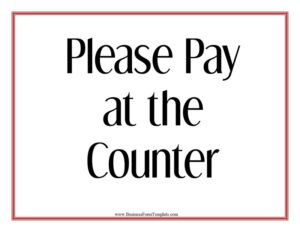
Please Pay At The Counter Sign
Download a free Please Pay At The Counter Sign template in PDF and DOCX to guide customers to your register quickly and clearly — free template download.
PDF
0
likes
Download Files
A Please Pay At The Counter Sign is a simple posted notice that tells customers to bring their payment to the front register rather than waiting for a server to collect it at the table. Restaurants, cafes, bakeries, and quick-service counters use it most often to streamline the checkout process and reduce confusion at busy times. It’s free to download here in both PDF and DOCX formats, so you can print it as-is or customize the wording in minutes.
What Is a Please Pay At The Counter Sign?
A Please Pay At The Counter Sign is a customer-facing display sign that communicates your payment policy at a glance. Instead of a full table-service model where a server brings the check, this sign directs diners to settle their bill at a designated counter, register, or cashier station. It is typically posted on tables, near the entrance, beside the menu board, or at the pickup window. The goal is to set clear expectations the moment a customer sits down or places an order, so there’s no awkward waiting and no missed payments. Cafes, food trucks, delis, and hybrid counter-service restaurants rely on signs like this to keep the line moving and the workflow predictable.
When Do You Need a Please Pay At The Counter Sign?
This sign solves a very specific operational problem: customers who don’t know how or where to pay. Consider posting one in these situations:
- Counter-service cafes and coffee shops where guests order and pay at the register but sit down to eat or drink.
- Quick-service restaurants transitioning away from table service to reduce labor and speed up turnover.
- Bakeries and delis where customers browse, then bring selections to the front to check out.
- Food trucks and pop-up stalls with a single payment window that needs to be clearly marked.
- Self-seating establishments where there is no assigned server to deliver a check.
- Busy peak periods when posting the sign on every table prevents customers from flagging down staff who are focused on food prep.
Anywhere there’s a risk of a guest sitting and waiting for a check that will never come, this sign earns its place.
What a Please Pay At The Counter Sign Should Have
An effective sign is short, legible, and unambiguous. The strongest versions include a clear primary instruction (“Please Pay At The Counter”), a directional cue or arrow if the counter isn’t obvious, and a polite tone that reflects your brand. Large, high-contrast type ensures it can be read from across the room or from a seated position. Optional additions include accepted payment methods (cash, card, mobile pay), your business name or logo for a finished look, and a brief thank-you line. Keep the message free of clutter — the point is for a customer to understand it in under two seconds. Lamination or a rigid frame helps the sign survive a busy dining environment.
How to Fill Out a Please Pay At The Counter Sign
This template is intentionally minimal so you can adapt it to your space. Here’s how to complete it:
- Confirm the main headline. Keep or lightly edit the primary line so it clearly reads “Please Pay At The Counter” — this is the message customers must absorb instantly.
- Add a directional cue. If your register isn’t immediately visible, include a short phrase like “at the front register” or insert an arrow pointing toward the counter.
- List accepted payments (optional). Note whether you take cash, cards, and mobile payments so guests can prepare before stepping up.
- Insert your business name or logo. Personalize the sign so it matches your other signage and feels intentional rather than generic.
- Add a courtesy line. A simple “Thank you!” softens the instruction and keeps the tone friendly.
- Choose your format and size. Use the PDF for instant printing or the DOCX to edit text, then scale it to a tabletop card, a counter placard, or a wall-mounted sheet.
Placement and Display Tips
Where you put the sign matters as much as what it says. Place small versions on every table so each seated guest sees the policy without searching for it. Position a larger sign at or above the counter itself to confirm where payment happens. If you have an entrance line, a sign near the door sets expectations before guests even choose a seat. Avoid hiding the sign behind condiment caddies, menus, or napkin holders — it should be the first thing a customer notices when they sit down. For outdoor or high-traffic areas, laminate the sign or use a sturdy acrylic stand so it stays clean and upright throughout service.
Designing for Clarity and Accessibility
A sign only works if everyone can read it. Use a bold, sans-serif font and a strong color contrast — dark text on a light background, or vice versa. Keep the wording brief; a long paragraph defeats the purpose. Consider your customer base: if you serve a multilingual community, a second-language line beneath the English text can prevent confusion. Make the font large enough to read from a seated distance of several feet. Consistency helps too — matching the sign’s colors and style to your menu boards and other signage reinforces that this is an official, intentional part of how your business operates.
Common Mistakes to Avoid
- Type that’s too small to read from a table or from the entrance line.
- Burying the sign behind menus, napkin dispensers, or other tabletop items.
- Vague wording that doesn’t make clear where the counter actually is.
- Forgetting payment details when you only accept certain methods, leading to delays at checkout.
- Overcrowding the design with too much text, logos, and decoration that dilute the core message.
- Posting only one sign in a large room where most customers can’t see it from their seat.
Frequently Asked Questions
What is a Please Pay At The Counter Sign used for? It tells customers to bring their payment to the front register or cashier instead of waiting for a server to collect it at the table. This is common in counter-service restaurants, cafes, and food trucks, and it keeps checkout fast and predictable while reducing confusion during busy periods.
How do I fill out and customize this sign? Download the DOCX version to edit the headline, add a directional note, list accepted payment methods, and drop in your business name or logo. If you don’t need any changes, the PDF is ready to print exactly as-is.
Is this sign free to download? Yes. The Please Pay At The Counter Sign template is completely free to download in both PDF and DOCX formats, with no signup required. You can print as many copies as you need for your tables and counter.
Where should I place the sign in my restaurant? Put smaller versions on each table so seated guests see the policy immediately, and place a larger sign at or near the counter to confirm where payment happens. A sign by the entrance also helps set expectations before customers choose a seat.
What size should the sign be? It depends on placement — tabletop cards work well at around a quarter-page or half-page size, while a counter or wall sign should be large enough to read from across the room. The editable file lets you scale the design to whatever fits your space best.
Should I list which payment methods I accept? If you only take certain methods, yes. Noting whether you accept cash, cards, and mobile payments helps customers prepare before they reach the register and prevents awkward delays at checkout.
This template is provided as a general example for informational purposes only and does not constitute legal, financial, or business advice. Signage requirements, accessibility rules, and payment-disclosure practices vary by location — consult the applicable local regulations or a qualified professional to ensure your signage meets your needs.
Related Forms
- Seat Yourself Sign
- Knife Sharpening Log
- Catering Menu
- Refrigerator Temperature Log
- Cafe Menu
- Recipe Food Costing Worksheet
Browse more in Restaurant.